
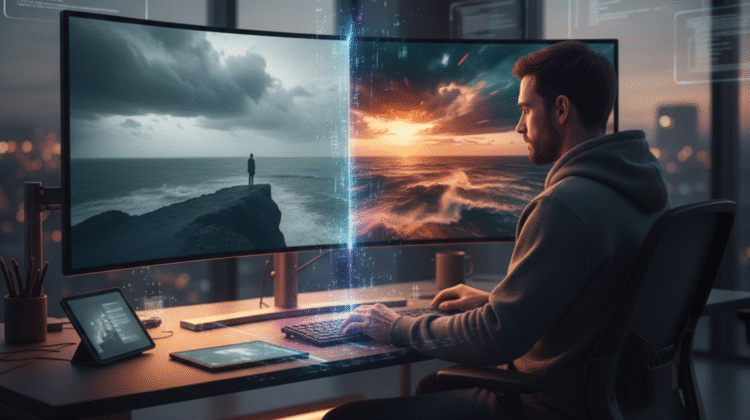
A single photograph can feel flat—or like the opening frame of a film. With recent advances in generative and enhancement AI, creators now have fast, affordable ways to add depth, motion, color grading, and cinematic atmosphere to stills. Below are six AI tools that help you transform ordinary photos into cinematic moments—from invideo, a versatile platform that bridges image-to-video and cinematic styling.
1. Invideo — fast image-to-video and cinematic editing
Invideo has grown from a template-driven editor into an AI-first platform that automatically converts images into short cinematic clips, builds storyboards from prompts, and supplies voice, music, and motion. If you want to turn a hero photo into a brief, moody opener or a moving social clip, invideo’s images to video workflows let you upload a photo, describe the scene, pick length and aspect ratio, and produce a stylized video in minutes. This is especially useful for creators repackaging photos as reels, stories, or short promos.
Beyond static-to-motion conversion, InVideo’s AI Video Generator creates scripts, picks stock clips and music, and layers subtitles and transitions from a single prompt—so a cinematic photo can anchor a short film sequence without heavy manual editing. The platform now integrates modern models and continues to expand its generative features.
Invideo also offers a mobile experience: the Invideo app functions as a compact AI video maker app so you can draft, edit, and export cinematic clips from a phone—perfect for quick social-first edits or for turning a photo into a short cinematic snippet on the go. The app is available on major app stores and mirrors many web features for creators who prefer editing away from the desktop.
Why use it for cinematic photos: Invideo makes it easy to add camera-like moves, atmospheric overlays (fog, light leaks), and film-grade transitions around a single still—fast iterations with generative prompts get you to a polished result quickly.
2. Luminar Neo — AI-driven tone, depth, and cinematic color
Luminar Neo focuses on intelligent enhancement: sky replacement, relighting, depth-aware background adjustments, and filmic color grading powered by neural modules. For cinematic looks, use Luminar’s relighting and color styles to emulate film stocks, punch shadows, and sculpt highlights—giving photos that “lit-for-film” feel without manual dodge-and-burn. Its layer-based workflow and presets make iterating on mood and tone fast.
3. Adobe Photoshop + Neural Filters (and Lightroom)
Photoshop’s Neural Filters and Lightroom’s AI-powered masking deliver professional-grade cinematic control—subtle skin smoothing, depth-of-field simulation, dynamic range expansion, and color grading with LUT support. Lightroom’s HSL and curve tools combined with profile-based color grading can produce classic cinematic palettes (teal-and-orange, desaturated shadows, warm highlights). At the same time, Photoshop’s Generative Fill/Neural Filters allow for scene retouching and stylistic changes that keep a cinematic narrative intact.
4. Topaz Labs (Sharpen AI & Video Enhance AI)
Topaz’s AI tools excel at detail—recovering texture, upscaling for large-format output, and reducing noise while preserving grit. Run a high-resolution frame through Topaz Sharpen/DeNoise for cinematic stills to recover film-like grain and edge detail, then slightly upscale for large prints or high-res motion crops. If you later convert stills into motion sequences, Topaz Video Enhance AI can help maintain clarity across frames.
5. Runway — generative motion and cinematic effects
Runway is a playground for creative motion: animate stills using motion models, create parallax camera moves, and add AI-generated skies or particle effects. Runway’s intuitive clips-to-timeline editor and green-screen segmentation let you composite cinematic elements over photos—think slow zooms, drifting particles, or 3D-like camera sweeps that elevate a single image into a filmic moment without traditional VFX workflows.
6. Capture One + Film Simulation Plugins
For professional colorists, Capture One paired with film-simulation LUTs and grain emulation brings analog cinematic character to digital images. Its color engine and layer-based masks are ideal for selectively grading faces, backgrounds, and practical lights—helping you craft the separation and tone that read as cinematic on any screen.
Practical workflow: from photo to cinematic short
- Start with intent: decide whether you want a still image to feel cinematic (color/contrast/grain) or to become motion (parallax, camera move, animated elements).
- Enhance and grade: use Luminar Neo or Capture One for base tone, then refine skin, highlights, and shadows.
- Detail & scale: run Topaz to de-noise or upscale if you plan large outputs or animated pans.
- Motion and scene building: Use invideo or Runway to add camera moves and atmospheric overlays and edit your sequence with music and voice.
- Polish: Finalize in Lightroom/Photoshop, adding film grain, LUTs, and subtle vignettes to complete the cinematic frame.
Final thoughts
Adding a cinematic touch to photos no longer requires expensive gear or months of editing practice. Today’s AI tools—from enhancement suites that mimic film stocks to generative platforms that animate images—let photographers and creators experiment rapidly and develop a distinct visual voice. Invideo sits at the intersection of still-to-motion transformation and prompt-driven storytelling, while specialist tools like Luminar, Topaz, and Capture One provide the granular control you need to craft an authentic cinematic aesthetic. Mix and match depending on the project: sometimes a single, well-graded frame is all you need; other times, a short AI-generated clip will tell the story better.
Explore More

Leave a Reply